
Romantic Kiss Stickers
FirehawkPersonalization
4.455.00 Reviews
- Version
- 2.1.6
- Installs
- 5.00M
- Age Rating
- Everyone
Screenshots
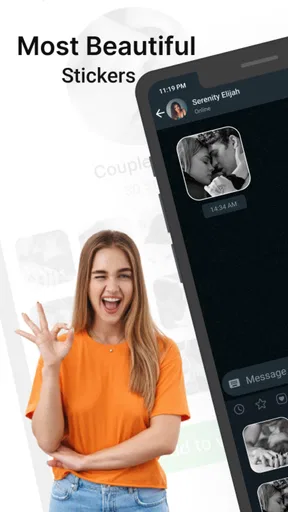
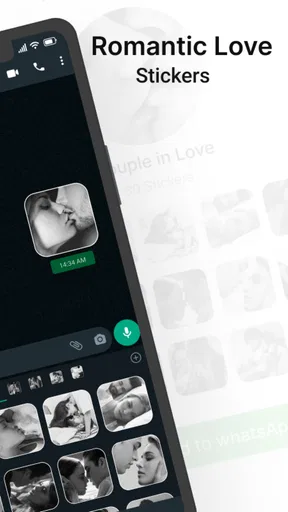
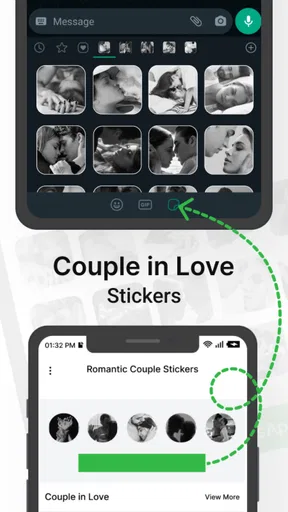
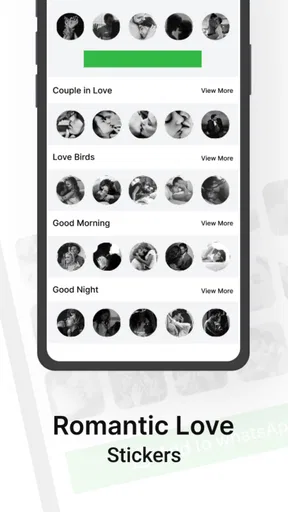
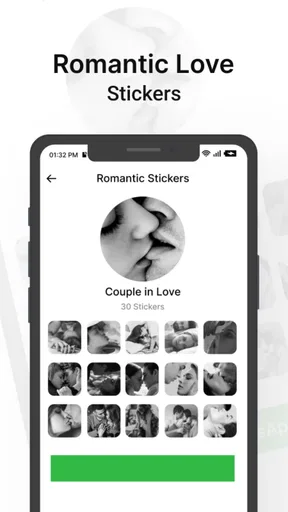
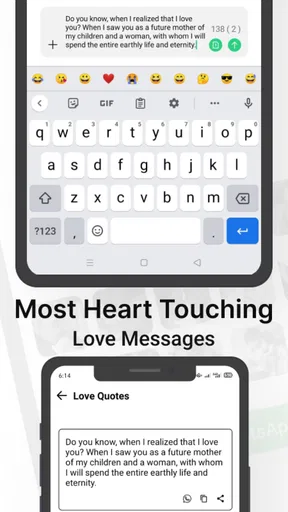
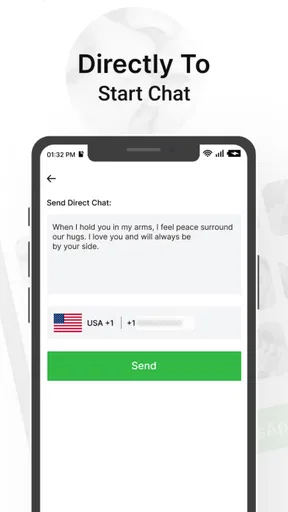
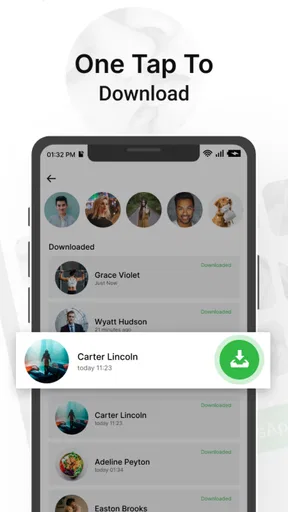
Our Review of Romantic Kiss Stickers
 Analysis by Appyee
I judge a sticker app by how quickly it lets me find a fitting reaction, not by how many times it can decorate the same message. Romantic Kiss Stickers has a narrow, clear purpose: adding affectionate kiss-themed images to chats. That focus can make it handy when an emoji feels too small or a GIF seems like more effort than the moment deserves. It is a personalization app from Firehawk, and I see it as an optional extra for people who regularly send playful, romantic messages—not a replacement for a messaging app or a tool everyone needs.
What to expect when you open it
The app’s first-use experience is simple in spirit: browse a collection, choose an image, and use it in a conversation. In a task this small, speed is mostly about how quickly you can spot the right mood and get back to your chat. A sticker can add warmth to a quick “thinking of you,” but it can also slow things down if you find yourself scrolling through choices when a plain heart would have done the job.
I’d treat the collection as a source of occasional reactions rather than a system for composing every message. That makes the app more useful: keep a few favorites in mind for greetings, good-night notes, or a light reply, and save the longer browse for when you actually want to make a message feel more personal. The best use of a romantic sticker is often the small one—a visual accent alongside your own words, not a substitute for them.
When a chat gets busy
Sticker use can become repetitive in an active conversation, especially if both people are replying quickly. A kiss image that feels charming once may become noise if it appears after every line. I get more out of a dedicated pack when I use it selectively: one sticker to set a playful tone, then ordinary text for the details. That balance keeps the exchange readable and helps the image feel intentional instead of automatic.
There is also a practical choice between opening a separate sticker app and using whatever reactions are already built into a messenger. Built-in emoji and GIF search usually win when I want the fastest possible reply or need a broader range of moods. A focused kiss-sticker collection is more appealing when I already know the kind of affectionate image I want. If the app’s handoff to a particular messaging service feels awkward on your device, using the messenger’s own options may be the smoother route.
Reliability and everyday fit
A small personalization app should fit around the conversation, not become another chore. I would try its basic workflow with the messaging app I use most before relying on it for an important moment. That quick test answers the useful question: can I choose a sticker and send it without losing my place or turning a casual exchange into a hunt through menus? If not, there is little reason to force it into your routine.
For a realistic everyday use, imagine you’re heading out and want to send your partner a quick affectionate note before the day gets busy. A sticker can supply the visual warmth, while a short personal sentence makes the message specific to the two of you. I would avoid sending the same image repeatedly or using a romantic graphic where the recipient might read it as too intense. The sticker adds tone; your relationship and the surrounding words determine whether that tone lands well.
Device and value considerations
The app is listed for Android devices running version 5.0 or later, so it is intended to work across a broad range of Android software versions. That minimum does not tell me how it will feel on every older or low-resource phone, so I would keep expectations modest and judge it by the basic tasks: opening the collection, selecting an image, and returning to a chat. Since the app’s purpose is lightweight, I would not choose a phone upgrade or change my messaging habits just to use it.
It is free to download, with optional in-app purchases listed from $0.99 to $99.99 per item. I’d check what an offer covers before buying anything and start with the no-cost experience to decide whether the available stickers suit my conversations. The Everyone age rating makes it broadly accessible, though the romantic theme is naturally most relevant to people who want that style of messaging. Its 4.4 average from around 26,000 ratings and more than 5 million installs suggest that many people have tried it, but those figures cannot tell you whether its particular artwork or workflow matches your taste.
First Impressions
When I first opened Romantic Kiss Stickers, I was immediately drawn in by its vibrant and charming design. The stickers are not just cute; they’re bursting with personality. From sweet pecks on the cheek to passionate lip locks, each sticker seemed to capture a different vibe of affection. The user interface is simple and straightforward, making it super easy to navigate even if you’re not a tech wizard.
Exploring the Sticker Collection
Now, let’s dive into the sticker collection itself. The app boasts a wide variety of stickers, each uniquely designed to convey different romantic sentiments. Whether you’re in a long-distance relationship or just want to send a little love note, there’s something for everyone. I found myself particularly drawn to the cute animal stickers – nothing says "I love you" quite like a pair of smooching pandas!
What’s really impressive is how the app keeps things fresh with regular updates. New stickers are added frequently, so you’re always equipped with the latest and greatest ways to express your love. It’s like having a new language of romance right at your fingertips!
Ease of Use
One of the things I absolutely love about this app is how easy it is to use. You can seamlessly integrate the stickers into your messaging apps with just a few taps. Whether you're using WhatsApp, Facebook Messenger, or any other platform, inserting a sticker is as simple as selecting it and sending it off. No more fumbling around trying to find that perfect gif or emoji – everything you need is right here.
For those who are less tech-savvy, the app includes a handy tutorial on how to get started. It’s clear and concise, ensuring that even the most technology-averse user can become a sticker-sending pro in no time.
Adding a Personal Touch
What really sets Romantic Kiss Stickers apart from other sticker apps is the customization feature. You can personalize stickers with your own text, making each one feel unique and special. It’s a simple touch, but it adds so much depth to digital communication. Just imagine sending a cute cartoon kiss with a personalized "Good morning, sunshine!" – it’s guaranteed to bring a smile to anyone's face.
Plus, you can save your favorite stickers in a dedicated section of the app for quick access. It’s a thoughtful feature that ensures you always have your top picks ready to go.
Wrapping Up
After spending some quality time with Romantic Kiss Stickers, I can confidently say it’s a must-have for anyone looking to add a little romance to their daily chats. Whether you’re sending a quick "I miss you" or a heartfelt "I love you," this app has you covered with style and flair.
So, if you're ready to take your text messages to the next level, head over to your app store and give Romantic Kiss Stickers a try. Trust me, once you start using these charming stickers, you’ll wonder how you ever communicated without them. Happy sticker-ing!
Who will get the most from it
I’d recommend this app to someone who already enjoys adding pictures to messages and wants an affectionate theme ready to hand. It makes particular sense for couples who trade small greetings during the day, people in long-distance relationships who like visual gestures, or anyone who finds standard emoji a little too familiar. It is less compelling if you rarely send stickers, prefer understated conversations, or need a pack that covers jokes, celebrations, and everyday reactions as well as romance.
That distinction matters because a focused collection is not the same thing as a full sticker keyboard. If you want one place for every mood, a broad sticker library or your messenger’s built-in search may be a better fit. If you mainly want a cute kiss to punctuate a message, the narrower theme can save you from browsing unrelated art. I would decide based on the messages I actually send, rather than assuming that more stickers automatically make a chat better.
A few small habits that improve the experience
My most useful tip is to think about the message before opening the collection. Decide whether you want a sweet, silly, or more openly romantic tone, then choose an image that supports the words you plan to send. This is quicker than browsing without a purpose, and it reduces the chance that a dramatic sticker will feel out of place in a casual conversation. A simple “hope your meeting goes well” with a playful image can feel more personal than sending a sticker on its own.
Another good habit is to treat saved favorites as a short shortlist, not a substitute for choosing thoughtfully. Keeping a few dependable options close can help during a quick exchange, but using the same one every morning may make it feel routine. I’d rotate between a favorite and plain text, and pay attention to how the other person responds. The value is in making a message feel like yours, not in sending an image every time the app is available.
Personalized text can also be most effective when it is brief. A name, a small in-joke, or a specific greeting can give a sticker context, while a long line may compete with the artwork and be harder to read at a glance. Before sending, I’d check that the wording is still legible and that the finished image suits the conversation. That extra pause is especially helpful when the recipient is busy or might see the message as a notification preview.
Compatibility, expectations, and sensible limits
The app is on version 2.1.6 and was released on October 5, 2022. Those details are useful context, but they do not guarantee identical behavior on every phone or messaging service. I would test the route I expect to use most, including whether the sticker arrives as intended and whether the other person can view it comfortably. Different services handle shared images in different ways, so a quick trial with a low-stakes message is a better check than discovering a mismatch during an important exchange.
If something feels slow or the handoff fails, I would first return to the app and try the selection again, then use the messaging app’s own emoji or image option if I need to reply right away. That is a practical fallback rather than a promise about how recovery works on every device. For occasional use, a small interruption is manageable; for people who need a dependable, instant response every time, the built-in reactions they already know may be the safer choice.
I would also keep the app’s role modest. It is about visual expression, not private communication, relationship advice, or a substitute for a thoughtful message. A sticker can be misread when the relationship is new, the conversation is serious, or the other person does not share the same sense of humor. In those moments, plain words are clearer. The strongest use case is a recipient who already welcomes this sort of playful affection.
My performance verdict
Firehawk’s personalization app is best judged by whether its small task stays small: find a fitting kiss-themed image, add it to a message, and get back to the conversation. Its focused subject and straightforward approach suit quick affectionate notes, while the availability of saved favorites and text customization can make repeat use more convenient. Those conveniences work best when used selectively rather than turning every chat into a sticker exchange.
I would try the free version before considering an optional purchase, and I would skip it if I wanted a broad, all-purpose sticker library or a completely text-first way to communicate. For someone who likes romantic visuals and has a compatible Android device, it can be a pleasant extra to keep around. For everyone else, the emoji and GIF tools already inside a messaging app may be quicker and more than enough.
Verdict
Strengths of Romantic Kiss Stickers
- Extensive variety of romantic stickers.
- Easy to integrate with most messaging apps.
- High-quality, vibrant sticker designs.
- Regular updates with new stickers.
- User-friendly interface.
Limitations of Romantic Kiss Stickers
- Limited free sticker options.
- Ads can be intrusive at times.
- Requires internet for sticker downloads.
- Some stickers lack customization.
- Occasional app crashes reported.
Other Releases by Firehawk
View All
Piano: Learn & Play Songs
Music & Audio4.8

Transparent Wallpaper
Personalization4.5

Battery Charging Animation
Personalization4.6

Video Voice Editor + Effects
Music & Audio4.5
Similar Picks in This Category
View All
Microsoft SwiftKey AI Keyboard
SwiftKey4.3

Wallpapers
Google LLC4.1

Zedge™ Wallpapers & Ringtones
Zedge4.7

Yandex Browser with Alice AI
Direct Cursus Computer Systems Trading LLC4.3

Ringtone Maker:create ringtone
Big Bang Inc.4.7

Fonts Keyboard
Fonts Keyboard3.9
Frequently Asked Questions
What is Romantic Kiss Stickers, and how can I use them?
Romantic Kiss Stickers is a sticker pack application designed to enhance your messaging experience with romantic and love-themed stickers. You can use these stickers in popular messaging apps like WhatsApp, iMessage, and more. Simply download the app, add the sticker pack to your preferred messaging app, and start sending them to your loved ones.
Is Romantic Kiss Stickers free to download and use?
The Romantic Kiss Stickers app is free to download from both the App Store and Google Play. However, it may offer in-app purchases or ads to unlock additional sticker packs or premium content. Be sure to check the app's details in the store for any potential costs or subscription options.
Are the stickers compatible with all messaging apps?
While Romantic Kiss Stickers are designed to work with popular messaging apps like WhatsApp and iMessage, compatibility may vary with lesser-known apps. It's recommended to check the app's compatibility list or try adding the stickers to your preferred app to ensure they work seamlessly with your messaging platform.
How often are new stickers added to the app?
The frequency of new sticker additions can vary, depending on the app's update schedule. Typically, developers add new stickers during seasonal events, holidays, or app updates. It's a good idea to enable notifications or check the app's update section regularly for the latest sticker packs and features.
Can I customize or create my own stickers within the app?
Romantic Kiss Stickers focuses on providing pre-designed stickers. However, some apps may offer customization features or allow users to create their own stickers. Check the app's features or settings to see if there is an option for customization, and explore any available tools for personalizing your sticker collection.
